Skip to content
Smart Modeling Solutions – Quantrix Partner Europe – Sales, Training, Model-building, Support
  • Products
  • Services
  • Quantrix vs. Excel
  • ResourcesExpand
    • Tutorials
    • Testimonials
    • Events
    • Publications
  • FAQ
  • Contact
  • EnglishExpand
    • Deutsch
    • Русский
    • Türkçe
    • English
Get Started
Smart Modeling Solutions – Quantrix Partner Europe – Sales, Training, Model-building, Support

Excel Alternative For Large Data Sets

Excel Too Large and Slow? When Excel Struggles, Quantrix Delivers

Free 30-day trial
8

Reasons to Replace Excel with Quantrix

1

Pivot Without the Pain

Quantrix Modeler lets you work with truly multi‑dimensional data — with always‑on pivoting that lets you slice, dice, and reshape data instantly. The single matrix shown on video, for example, replaces 128 Excel sheets, eliminating complexity and errors.
Quantrix is designed for high‑complexity, multi‑scenario models that would be difficult or unstable in spreadsheets.

2

Easy Formula Syntax

With Quantrix, you can write formulas in natural language instead of Excel formulas with cryptic cell coordinates. This makes your formulas easy to understand and audit.
Autocomplete helps you write formula faster. You have access to all the functions that Excel offers and more.

3

Massive reduction of formulas

In Quantrix, you do not place formulas inside each cell. You write the formula once, separately, and it applies across the matrix.
In the video, one formula calculates the gross margin percentage for every Port, Year, Month, and for both Actual and Plan data. This eliminates the need to write thousands of formulas as in Excel, which is a major advantage for large models.

4

Linked Structure

Quantrix matrices have a connected structure. This example shows how adding a new Special Scenario in Assumptions automatically updates the Sales report.
You do not need to copy and paste items from one table to another like in Excel. This keeps your model structure consistent and error-free.

5

High-performance calculation engine

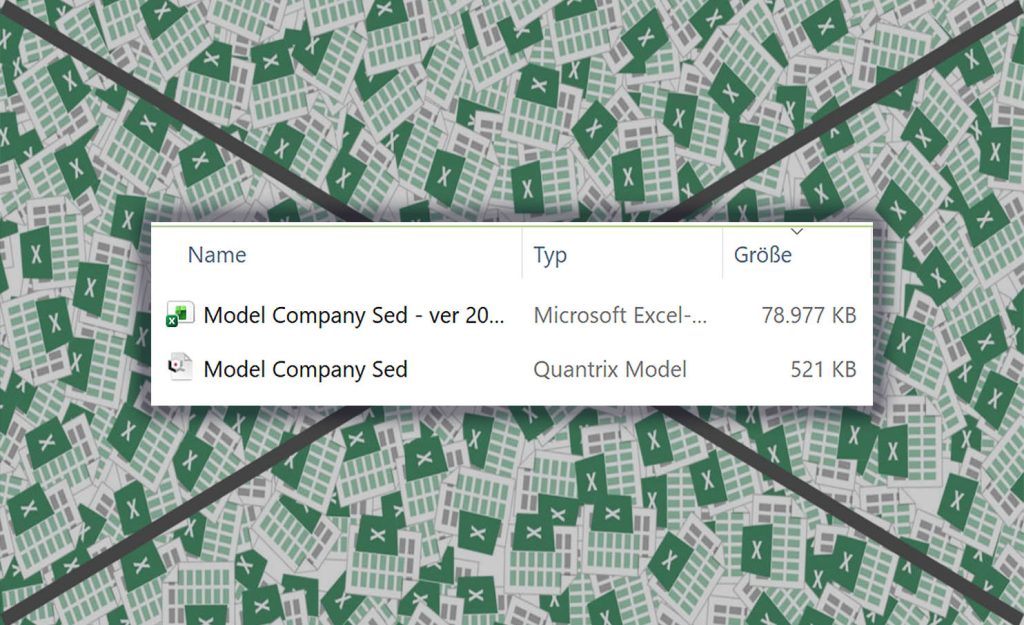
With Quantrix, you can work with millions of cells in one model without compromising speed or accuracy. Quantrix files are much smaller than Excel files for the same calculation. Plus, you can easily create and manage different scenarios or versions of your model and keep them all in one file.
Quantrix is the ultimate tool for complex calculations and data analysis.
6

Easy audit of your model

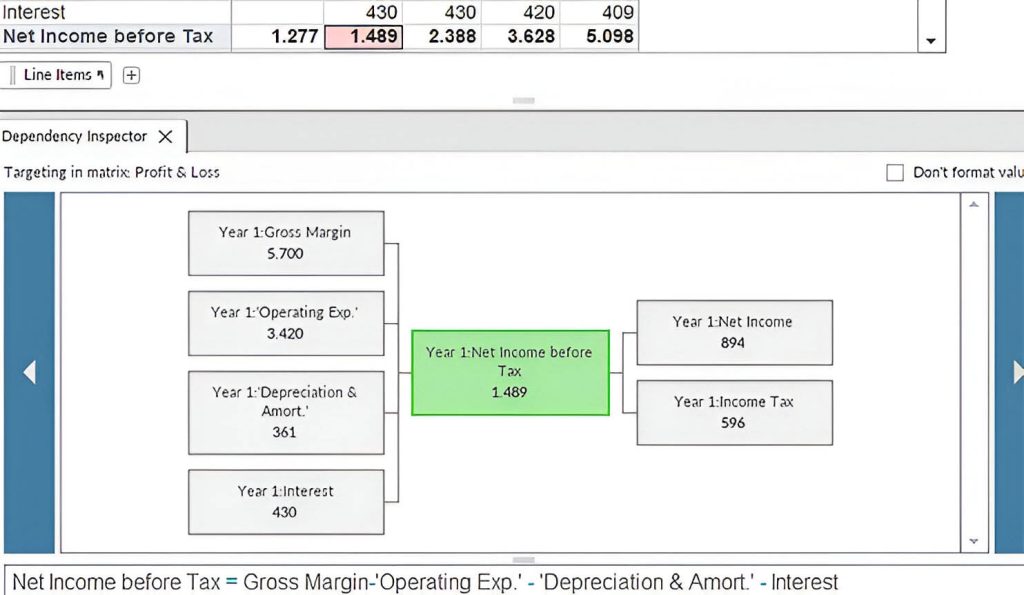
With the Dependency Inspector tool, you can easily see how each cell in your model is calculated and understand the logic behind it. This tool helps you to present your model confidently at your business meetings and explain how the numbers are derived.
The Dependency Inspector tool is a powerful feature that enhances the transparency and accuracy of your model.
7

Track changes to your model

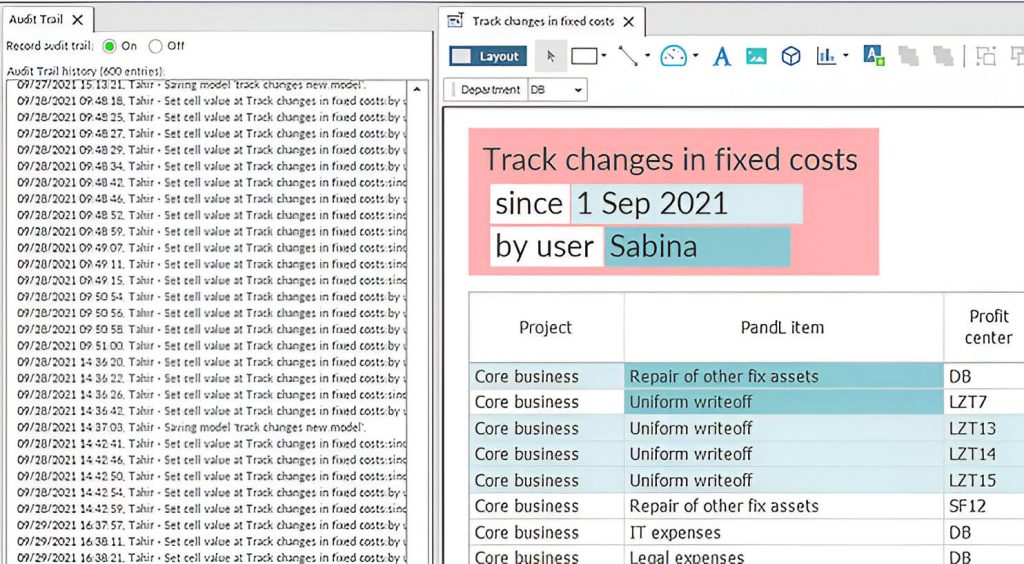
In Quantrix desktop app you can easily see who did what and when on your model.
Audit Trail tool records all changes to data and structure, so you can always go back and review them. Plus, you don’t have to worry about documenting of changes to your model, because it is done automatically. This is especially important if you are working on a shared model.
8

Dashboards and reports

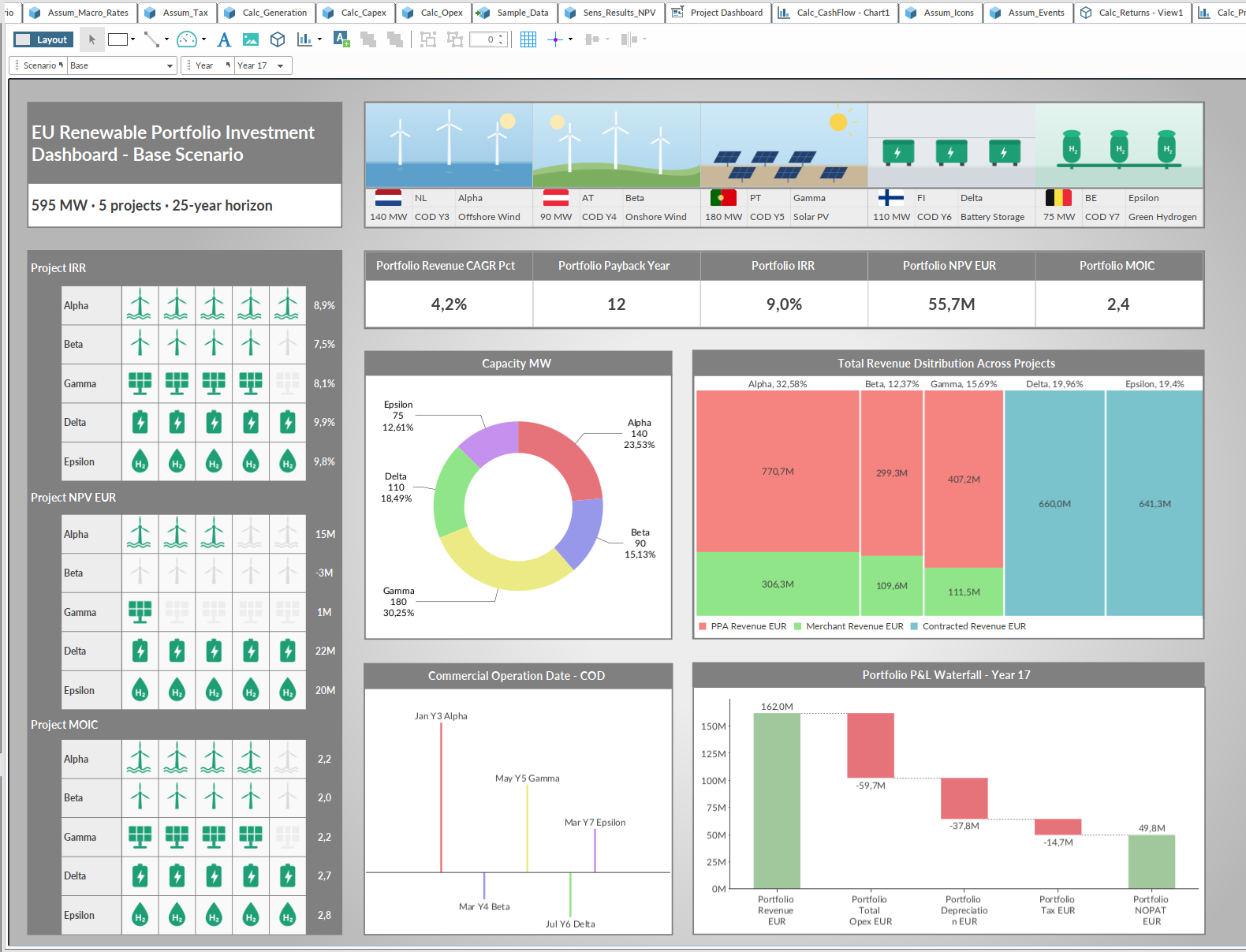
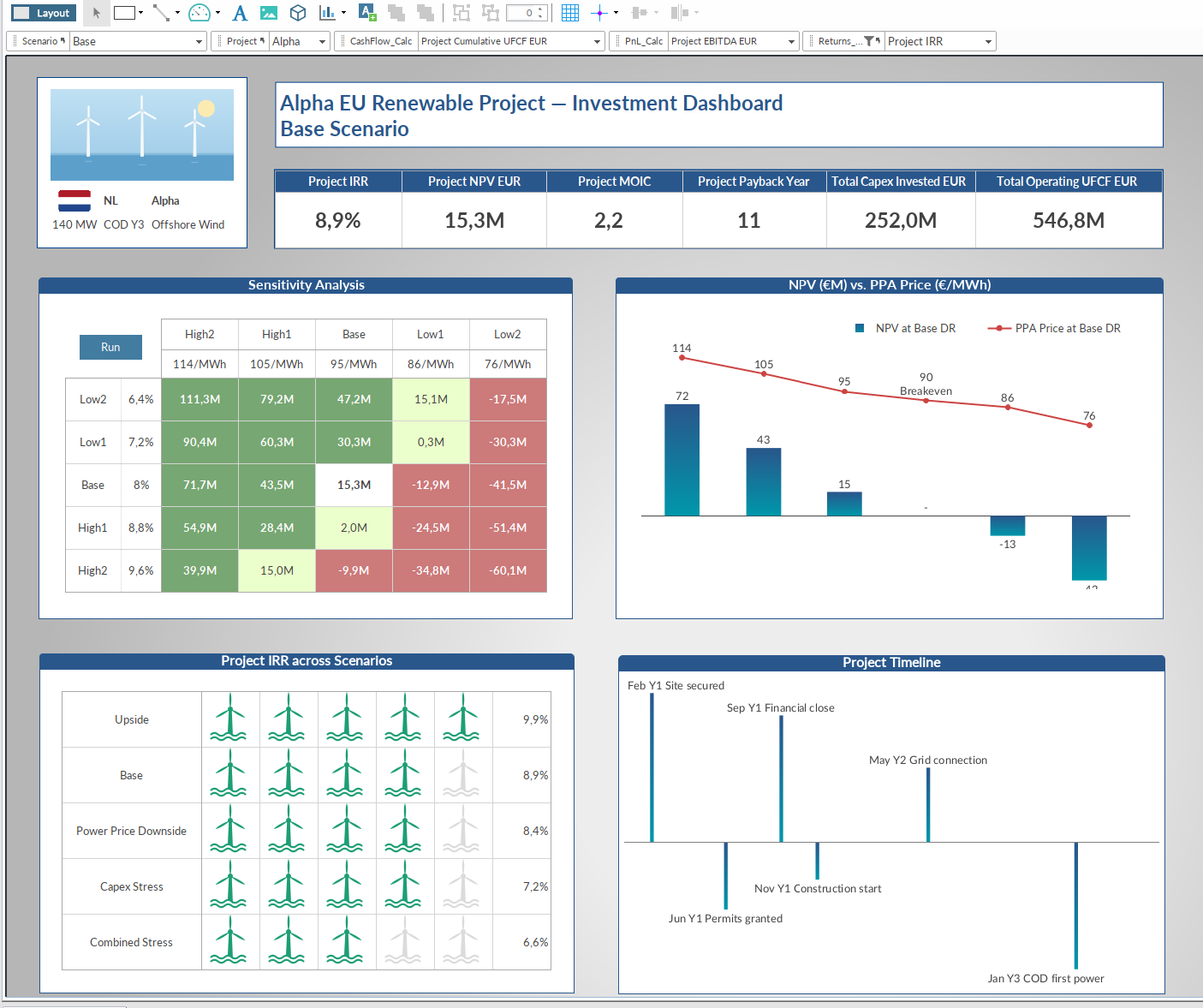
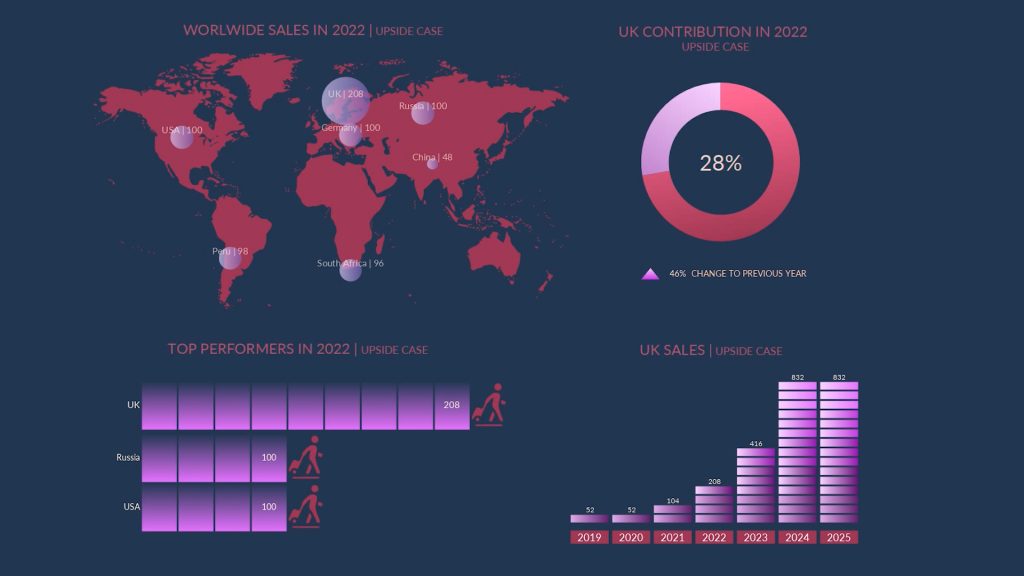
You can create amazing dashboards and reports with Presentation canvas. Just add your chart, data, images, interactive sliders and other widgets to the canvas and customize them.
With Presentation canvas, you can tell the story of your data in a visually appealing way that will impress your audience.
Showcase of Quantrix Models

  • Canvas Dashboard
  • Interactive Reportin
  • Canvas Widgets
  • Charts
  • Formulas in natural language
  • One matrix which replaces 128 Excel sheets

Frequently Asked Questions about Quantrix Modeler

You can build daily forecasts, monthly or quarterly budgets, as well as long-term plans. You can do financial consolidation, run profitability analysis. Quantrix allows you to create interactive reports and dashboards.

Yes, you can import csv file and export to xls file. You can also save your report als pdf file. You can connect to sql database and import or push data.

Yes, one Quantrix model file can replace hundreds of spreadsheets. You save time and reduce costs.

Your write formula in a normal language, like Revenue = Amount * Price. Formula is not cell based and written separately from data. There is a full set of functions which you can use in the formula.

Desktop application Quantrix Modeler costs 2600 USD per year and user (as of Jan 2026). For Quantrix Qloud pricing please contact us.

Browse other FAQs

Get Full Access to Quantrix – Free for 30 Days

We ask for a few details to send your download link and help you get started. Your info stays private, no spam, no credit card.

Why It is Worth Your Time:

  • Replace countless sheets with one powerful model
  • Evaluate the software risk‑free before buying
  • See immediate productivity gains

We protect your contact information in accordance with our privacy policy. This site is protected by reCAPTCHA, and Google’s Privacy Policy and Terms of Service apply.


Smart Modeling Solutions is Official Partner of Quantrix in Europe.

Aspangstrasse 6/4/11
1030 Vienna, Austria
+436766585570
info@smartmodelingsolutions.com

Schedule Quantrix Demo

Products

  • Quantrix Modeler
  • Quantrix Qloud

Services

  • Quantrix Training
  • Quantrix Model-building Services & Support

Company

  • About us
  • Contact Us

Resources

  • All Resources
    • Quantrix YouTube Videos
    • Quantrix Learning
    • Events
    • Testimonials
    • Publications
    • Interesting facts
    • Solutions
    • Scripts
  • FAQ – Frequently Asked Questions

Recent Posts

  • Mastering Business Forecasting with Quantrix (Methods & Accuracy)
  • Seminar: Çoxölçülü biznes və maliyyə modelləşməsi üzrə yeni texnologiya ilə tanışlıq
  • Steve Jobs on Quantrix: The “Best Spreadsheet on the Planet”
  • Quantrix for Beginners: Build your first model

© 2026 Smart Modeling Solutions - Quantrix Partner Europe - Sales, Training, Model-building, Support

Imprint & Privacy Policy

YouTube YouTubeLinkedin Linkedin
Manage Consent

We use cookies to improve your experience. You can accept or manage your preferences at any time. Some features may not work properly without consent.

Functional Always active
The technical storage or access is strictly necessary for the legitimate purpose of enabling the use of a specific service explicitly requested by the subscriber or user, or for the sole purpose of carrying out the transmission of a communication over an electronic communications network.
Preferences
The technical storage or access is necessary for the legitimate purpose of storing preferences that are not requested by the subscriber or user.
Statistics
The technical storage or access that is used exclusively for statistical purposes. The technical storage or access that is used exclusively for anonymous statistical purposes. Without a subpoena, voluntary compliance on the part of your Internet Service Provider, or additional records from a third party, information stored or retrieved for this purpose alone cannot usually be used to identify you.
Marketing
The technical storage or access is required to create user profiles to send advertising, or to track the user on a website or across several websites for similar marketing purposes.
  • Manage options
  • Manage services
  • Manage {vendor_count} vendors
  • Read more about these purposes
View preferences
  • {title}
  • {title}
  • {title}
Scroll to top
  • Products
  • Services
  • Quantrix vs. Excel
  • Resources
    • Tutorials
    • Testimonials
    • Events
    • Publications
  • FAQ
  • Contact
  • English
    • Deutsch
    • Русский
    • Türkçe
    • English